
RenoPro InteriorsRenoPro InteriorsDO IT ONCE. DO IT RIGHT.

FIND THE RIGHT FINISH

Shop Ceramic Tile for Bathrooms & Backsplashes

Ceramic tile can bring color, texture and a carefully chosen pattern into a bathroom or kitchen. Start with the surface you want to cover, then compare products intended for that use.
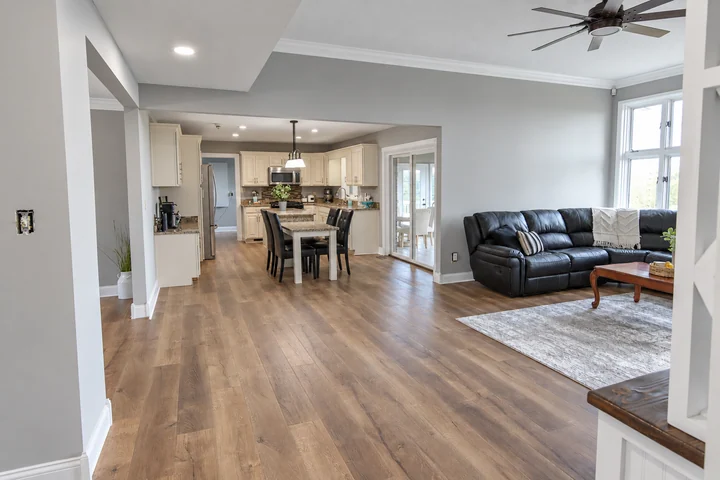
An open kitchen and living room with coordinated wood-tone flooring
RenoPro project imagery, also featured in our installation guide. See our work.

Check wall and floor applications separately

Some ceramic products are intended for walls rather than floors. Confirm the manufacturer's information for the exact item instead of choosing on appearance alone. Tell us whether your project is a backsplash, shower wall or room floor so the selection can be reviewed in context.

Look at edges and surface variation

View samples together to understand color variation, glaze and texture. Ask how exposed ends, outside corners and transitions will be finished. A coordinating edge piece or a separate profile can change both the appearance and the order list.

Bring the surrounding finishes into the decision

For a backsplash, compare the tile with the counter and cabinetry. For a bathroom, include the vanity and adjoining floor. Save a short list in the catalog and send it with photos and approximate dimensions; we confirm the installation details before the final material order.

Before you decide

Can I use ceramic wall tile on a floor?

Only if the specific product is approved for that application. A wall-tile description should not be treated as floor approval.

Is installation included in catalog prices?

Do not assume so. Supplier product prices and RenoPro installation work are separate unless your written proposal expressly includes both.

FROM FIRST IDEA TO INSTALLATION

Your project, step by step.

  1. Picture your finished room. Browse bathroom, kitchen and whole-room inspiration. Choose “I want a room like this” to bring that look into your estimate request.
  2. Explore the finishing touches. Tap “Save product.” Open “Saved products” to add notes, remove options or export a PDF. Your list stays in this browser. For an account-based collection across devices, choose “Save to board” and sign in to your workspace.
  3. Make it yours, with our help. Use the 3-D shower designer for shower layouts and finishes, or draw a room plan for your bathroom or kitchen. The room planner is a floor-plan tool, not a complete kitchen cabinet designer.
  4. Get a clear plan and price. Open “Request an estimate.” Your saved products are included automatically. Add photos and project details, then submit to create your private project. We arrange a visit, confirm the scope and provide a written estimate. After approval, we coordinate installation and a final walkthrough.

You can browse and save without an account. To keep a portable copy, export your list as a PDF or create a private project through the estimate form.

RenoPro brings products from multiple retailers into one catalog. Purchases, final prices and stock are handled by each retailer. You can open retailer details when you are ready.